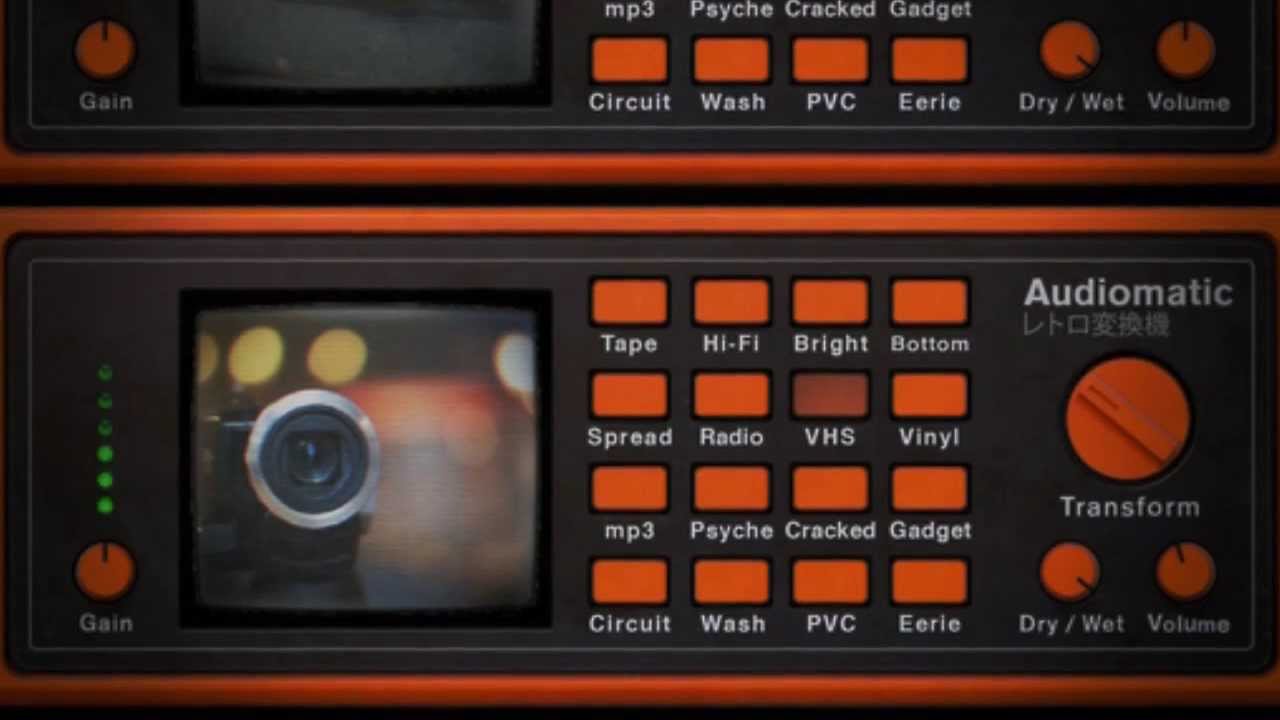
The Audiomatic Retro Transformer is a new Rack Extension that comes free with Reason 14. Audiomatic is for your music what those insta-hipsta-analogififcation apps are for your cellphone pics. It’s about taking your sounds and making them a little bit wrong in the right way. Color your sounds, add extra grit, or indulge in the lo-fi goodness.
In this microtutorial, we’ll show you how Audiomatic was deployed across an entire mix to bring authenticity to the retro vibe. A little retro here… a little retro there… and it adds up to a dramatically awesomized mix.
Ready to give your tracks that retro touch?
Transcript
- 00:05 – Intro: Audiomatic, now free with Reason 7
- 00:28 – Setting up a disco demo track
- 00:55 – The sound source: the Disco Tool ReFill
- 01:28 – What Audiomatic actually is
- 02:07 – Using Audiomatic as an insert effect on drums
- 02:39 – The Transformation knob
- 03:05 – Parallel processing: adding grit to the drums
- 03:46 – Chaining multiple Audiomatics on guitars
- 04:46 – Audiomatic on the master bus for vinyl crackle
- 05:18 – Dialing back with the Dry/Wet knob
- 05:32 – Wrap-up
Intro: Audiomatic, now free with Reason 7
Today we’re going to check out the Audiomatic Retro Transformer, now available as a free Rack Extension with Reason 7. Audiomatic comes at a great time, because if you’ve been on Twitter, Facebook, or really just planet Earth recently, you’ve certainly seen the buzz about a certain robotic alien musical duo who are aiming to bring the retro feel back to modern music.
Setting up a disco demo track
So in honor of them, let’s create some random access music by my new embroidery- and knitting-inspired band, Craft.
The sound source: the Disco Tool ReFill
For the sounds in this tutorial, I’m using the Disco Tool ReFill, which is perfect for getting this sound. But as great as Disco Tool’s recordings are on their own, this is how it would sound without the enhancements of the Audiomatic Retro Transformer — quite a difference. I’ll bring all those Audiomatics back, and your ears will thank me.
What Audiomatic actually is
Audiomatic is the sound equivalent of those apps for your phone that add instant nostalgia to your cat pictures. When you use these apps, you aren’t saying to yourself, “this cat picture needs a color-range-divided saturation adjustment, a spot exposure, vignetting, gamma adjustment, crushing the blacks, and added grain.” No — instead you say, “hey, this preset labeled ‘Dolores’ looks better than the previous one, I’ll go with this.”
In the same way, using Audiomatic isn’t about considering filter decibel slopes, oral exciters, compressor distortions, ring modulators, bit crushers, or any other signal processing going on behind the scenes — it’s about the result. So let’s see it in action.
Using Audiomatic as an insert effect on drums
The most common way to use Audiomatic is as an insert effect, and that’s what I’m going to do on the main drum channel. The basic loop is good, the feel is nice, and the recording is tight. I’ll add an Audiomatic to the channel insert, and I’m ready to try out different presets.
I like this one, it sort of reminds me of the loudness button on my home stereo — it gives my drums more oomph and punch.
The Transformation knob
For disco, the Transformation knob will adjust the character of the preset — for the bottom preset, it controls the sound of that oomph and punch; for something like the MP3 preset, it controls just how bad that lo-fi MP3 compression sounds. My best advice is to always adjust the Transform knob to find the sweet spot for your particular sound.
Parallel processing: adding grit to the drums
We’re not done with the drums — we’ve used Audiomatic to address the bottom, now let’s focus on the top. I’ve created a parallel channel for the drums; on this parallel channel I’m also going to add an Audiomatic insert, and I’ll choose the Radio preset. Now our drums sound like they’re coming out of a transistor radio.
The beauty of parallel processing is that this extreme setting can be blended in with our main drum channel, to have the best of both worlds: the punch of the main channel, and the brittle attack and sizzle of this parallel channel.
Chaining multiple Audiomatics on guitars
For the guitars, I’m not going to reinvent the wheel — I’ve got the Audiomatic Retro Transformer set up on the insert as well, but what’s different is that I’m chaining several Audiomatics together in series. So my guitars run the Hi-Fi setting, which mimics those bass and treble knobs on your home stereo, then it runs through the VHS preset, which really enhances the pick attack on those funk guitars, and finally it goes through the Tape preset, just to round out the sound a bit and give it some nice vintage saturation.
The difference is dramatic when you compare it with and without. If I bypass the inserts, the guitars get almost lost in the mix — activate them, and each note jumps out and makes you want to dance. Are you dancing? Good.
Audiomatic on the master bus for vinyl crackle
And finally, because I want this whole song to have a retro feel to it, I’ve set up an Audiomatic on the master section and set it to Vinyl. This will give my song some nice vinyl crackle and a global EQ curve to pull everything together.
Whenever you’re working with the master section, however, you really want to be careful not to overdo any effect — these vinyl crackles should be hardly noticeable; if your average listener picks up on it, we’ve probably overdone it.
Dialing back with the Dry/Wet knob
Fortunately, I can adjust the Dry/Wet knob on Audiomatic to pull them down, to how they might sound on a real vinyl. That feels about right.
Wrap-up
So, as you can see, Audiomatic is about experimentation, personal taste, and realizing that there’s no wrong move you can make with it. So put down your phone, because the cat pictures can wait, and get started transforming your own sounds.