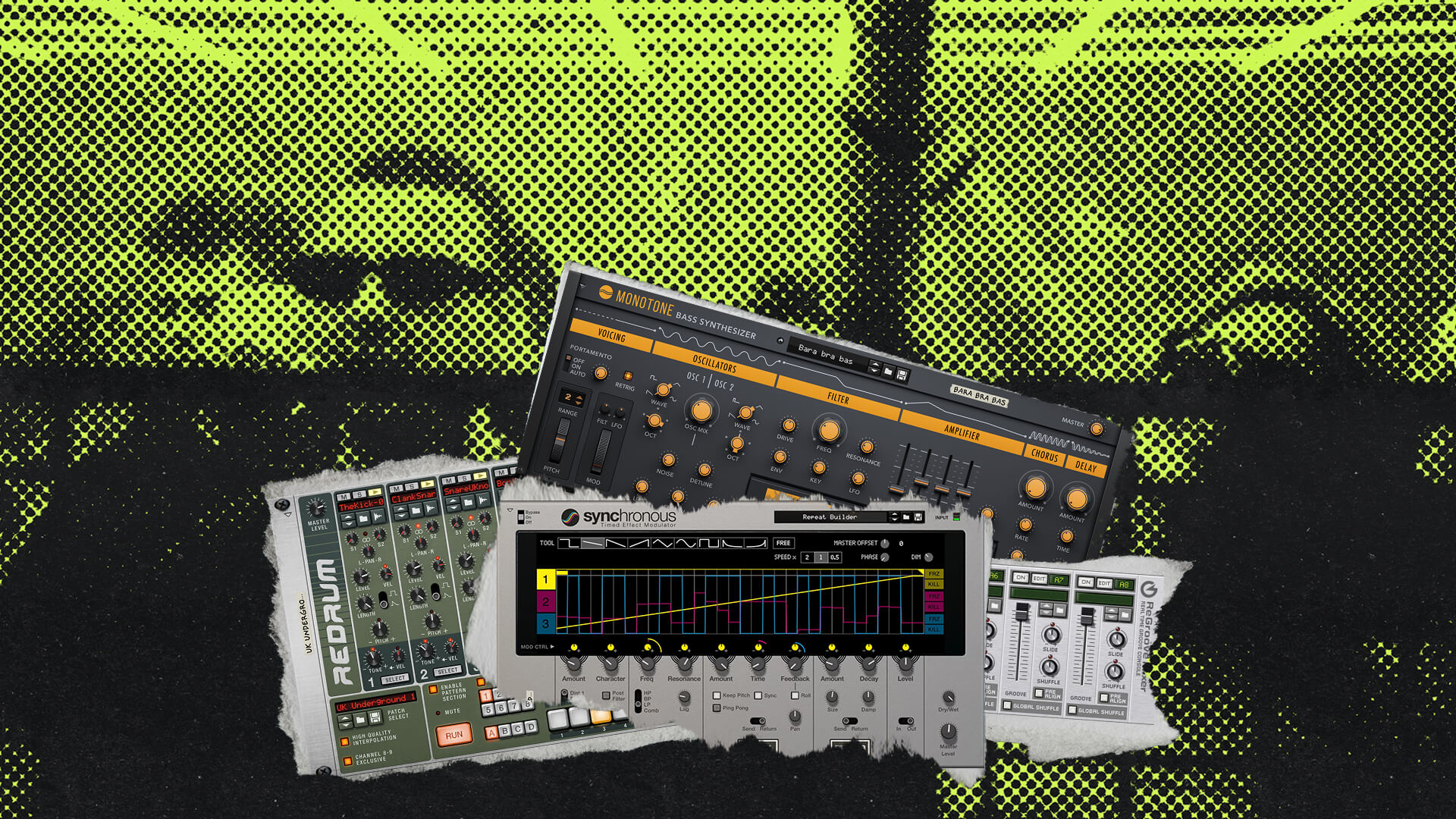
Watch Adam Fielding as he digs into one of his production tracks, made in Reason for commercial licensing, where he breaks down the track, emphasizing the strength of block mode simplicity and sharing some very useful arrangement wisdom.
With years of experience in making music fom Film, TV and Radio, Adam reveals the nitty-gritties for success in music licensing, from following a brief to crafting a balanced mix and choosing the right instruments.
Transcript
- 00:00 – Intro
- 00:18 – What is production music?
- 01:01 – The brief for this track
- 01:52 – Written in Reason 11 with VST2 plugins
- 02:09 – Heavy use of Blocks
- 03:20 – Drawing in blocks and muting sections
- 03:58 – Adding extra elements over a block
- 04:34 – Why Blocks offer more flexibility than people think
- 05:45 – Choosing instruments to match the brief
- 06:12 – Output Arcade, and the importance of keeping stems
- 06:42 – Core elements: Wavestation and Poly 6
- 07:39 – Drums: Redrum plus glitchy percussion
- 08:15 – Shaker elements with Fruit Shake
- 08:42 – Adding an 808 bass
- 09:13 – The 808 patch: Basin by Wave Alchemy
- 09:49 – Radical Keys and Scales and Chords
- 10:33 – Humanizing timing with the Groove Mixer
- 11:30 – Transitional elements to cue changes
- 12:25 – The reversed bin-lid-slam riser
- 13:08 – A plug for his own Rises and Sweeps sound pack
- 13:28 – A reverb-drenched synth transition
- 14:55 – A cassette-effect transition
- 16:00 – Sticking close to the brief: track progression
- 16:29 – Adding a push at the end
- 17:18 – The lead sound: ReSpire through DR1
- 17:47 – Avoiding overdoing it: remembering the brief
- 19:22 – Wrap-up
Intro
Hi there, my name is Adam Fielding, and today we’re going to be taking a look at a production tune written and produced entirely using Reason.
What is production music?
I guess we should probably talk about what production music actually is, and what that term entails. Production music is music that can be licensed to customers for use in film, television, advertising, games, radio, any other kind of media really. Production music is frequently produced by music libraries, but it can also be supplied directly to music supervisors for consideration and placement.
Today I’ll be taking a look at one of my production tunes, showing you which instruments I used, how it was arranged, how it was written for the brief supplied, and other general tips and tricks. So with all of that out of the way, let’s go, go, go.
The brief for this track
Here is the production track which we’re going to be looking at today. The brief for this particular track was to write something with a positive, chilled vibe with retro sensibilities. I was also specifically told not to write something that sounded too synth-wavy, so that was a nice extra challenge thrown into the mix there.
So my immediate thought was to write something with a nice whimsical feel, making use of ’80s and ’90s instrumentation with a couple of modern twists, and in a major key. And it sounds a bit like this — so I think that that nails the brief there.
Written in Reason 11 with VST2 plugins
This was written using Reason 11, so all the VSTs found within the rack are VST2s, because VST3s weren’t supported in Reason 11, and there’s no Combinator 2 usage, so I won’t be dipping into that today, but there’s plenty of other stuff to talk about, don’t worry.
Heavy use of Blocks
The first thing you’re probably going to notice about this project from looking at it is that I’ve made really, really, really heavy use of Blocks throughout. So to get things going, I focused on getting two blocks down, so that would give me a nice bit of variation to play with as the track progressed.
Now, I absolutely love Blocks in Reason — they’re such a good way of getting ideas down quickly and then unraveling them to create an entire track. So just to specify, the blocks don’t feature everything playing at once, but they feature a nice structure from which to work. So I’m going to play a bit of block one and block two, so you can hear what I’m talking about — so here is block one, and here’s block two. So they’re not hugely different, and they don’t have every single element in the track playing in the block, but they’re a nice place to start from.
Drawing in blocks and muting sections
So what I did, when I started to unravel the track, was to draw in blocks as I went, and then just simply mute and unmute parts using the mute tool. However, if you use the mute tool on blocks, it will mute the entire section in that block — so here, if I’m muting this chunk here, it’s muting the entire eight bars.
Now, sometimes you might just want to mute the first four bars in a block, as opposed to muting the entire thing, in which case you can just draw in a blank sequencer clip — so if I just delete that and show you, you can just draw in a blank clip, and that will do the exact same job. So that’s a nice little trick if you just want to mute half of a block.
Adding extra elements over a block
So I’ve also added extra elements here — this is the kick drum channel, and at the start of the track I didn’t want as many kicks to play, I wanted that to change as the track kicked in. So I just drew some extra sequencer lanes here, overlaid what was there in the block, and there’s fewer kicks playing — so if we just play that at the start, you’ll be able to hear what’s going on.
So when the track actually kicks in, you get those extra kicks, and things progress nicely from there.
Why Blocks offer more flexibility than people think
So I think Blocks actually — I think they have this reputation for forcing you to adhere to a very strict idea that you’ve come up with at the start, and there’s not a lot of flexibility, but actually I think they’re great — they’re great for getting ideas down quickly, and they do offer a surprising amount of flexibility if you’re willing to kind of mix and match them up.
Now, something interesting as well is, later in the track I’ve actually used block two and block one, but I’ve only used half of the blocks. So something else you can do as well is you can chop and change and mix them up as you go. So just playing that section now, and remember what it sounded like at the start of the track — here’s what the end of the track sounds like. So that sounds quite different to how it did at the very beginning of the track.
So I do think Blocks offer quite a bit of flexibility, and if you’ve not tried them for getting ideas down quickly, I would strongly suggest giving it a go — they’re great.
Choosing instruments to match the brief
I talked about this recently in another video, but knowing which instrument to use for any particular project makes getting started much, much easier. So thinking back to the brief, I decided to use a mixture of early Korg to give it a nice ’80s, early ’90s vibe; the SubTractor, to give it a nice sort of early software digital synthesis vibe; and Synapse Audio’s Legend synth, to add a bit of an analog flourish.
Output Arcade, and the importance of keeping stems
So production music is also about getting ideas down quickly, so I ended up using Output’s Arcade plugin for some extra flavor. Now, I don’t actually have an active subscription to Arcade going at the moment, as of filming, so I’m just going to use it as I’m just showing you the audio here — which brings me to another point I’d like to make, which is: it’s always important to keep stems of your projects. So if you end up in a situation like this, you could just bring a stem in, so you can talk about it, or re-export it, or play with it.
Core elements: Wavestation and Poly 6
So with that in mind, here are the two core elements I mentioned. There’s an instance of Wavestation, which in my opinion is such a quintessential early-’90s sound, I had to put it in there — it’s got this wonderful sort of crystalline, digital quality to it, and that contrasts nicely with another core instrument I’ve used, which is the Poly 6, which I’ve used as kind of this sort of almost mournful sort of lead that plays throughout.
So with those two elements together, it sounds like this — so we’ve definitely got this sort of nice retro vibe to things already, and that’s primarily, I would argue, a result of the instrument choice.
Drums: Redrum plus glitchy percussion
So for the drums, I’ve actually used just an instance of Redrum for the main drum hits, and that sounds like this — so nothing revolutionary, but a nice solid beat.
I also added some glitchy percussion courtesy of a Reaktor ensemble, which I bounced to audio and chopped up so that I could mute and move around as I saw fit. Now, you might be thinking, glitchy audio in a sort of ’80s, ’90s throwback track, that’s a weird choice — well, going back to the brief, it did specify with modern sensibilities, and I do love me some glitchy percussion, so I had to throw that in.
Shaker elements with Fruit Shake
And I’ve also used an instance of this wonderful Kontakt instrument called Fruit Shake, for some shaker elements. Now, this is frequently given away for free on Black Friday and during sales periods, so if you’ve not checked this out, and you have Kontakt, I would strongly recommend giving it a go. So all those elements together sound like this.
Adding an 808 bass
Now, I knew from the off, given the brief, I wanted to use an 808 bass, because that’s a nice kind of merging of old-school instrumentation with modern sensibilities — 808s are all over the place now, but the 808 itself is quite an old instrument, that was my thinking anyway. And altogether, those sound like this.
The 808 patch: Basin by Wave Alchemy
So for the 808s, I’ve used a Kontakt instrument called Basin from Wave Alchemy — I believe this is just a preset that’s in Basin, and you’re probably already thinking, “wow, that’s cheating, you could have just created an 808 using a synth in Reason,” and there’s absolutely nothing stopping you from doing that, but again, going back to the purpose of this track, it’s a production track, I wanted to get this down quickly.
This synth sounds fantastic, but this instrument sounds fantastic, and it fit my purpose perfectly, so I used it — I see no problem with using the tools you have available. So that was that.
Radical Keys and Scales and Chords
And I also used Radical Keys for the keys playing throughout the entire track, and that sounds a lot like this. I really, really like Radical Keys — it’s one of those instruments that I feel like I don’t use often enough, but when I use it, it reminds me of why I like using it so much.
I’ve also used a Scales and Chords player with the Rhodes here, simply because I wanted to get this idea down really quickly. But you may have noticed that there is a sequencer lane here — so what I did was, I wrote the individual chords for this particular part, bounced those to MIDI, and then I’ve actually used the Groove Mixer, set to channel A1 here.
Humanizing timing with the Groove Mixer
If we go to the Groove Mixer at the bottom here and click on Edit, you’ll be able to see I’ve set the random timing to 25 ticks — so what that does is, it means that each note doesn’t play hard on the grid, it adds a little bit of a human touch, by sort of slightly moving all the notes slightly out of time. So if I turn that up way, way up, you’ll be able to hear that they’re not playing on the grid.
So if I bring that back down to 25, it just adds a nice little bit of looseness to the sound. So it’s a nice pairing-up of using a compositional tool with Scales and Chords to get things going quickly, but then using the Groove Mixer to sort of lend that human touch — it’s a nice melding of two things there.
Transitional elements to cue changes
One important element I feel of production music, and music generally, that I’ve not really touched on so far, is the use of little transitional elements to give the listener something to cue them in that something’s going to change. Now, they’re useful in production music, but it’s important not to go super overboard with them, because editors might be wanting to chop up different parts of a track, stitch different parts together — you don’t want a giant 30-second transitional tail to prevent them from doing that.
So what I’ve done throughout this entire track is I’ve used these little gentle, sort of metallic sweeps to signify that something’s going to change, and it sounds like this — so it’s just a nice gentle background element, but it kind of gives you something to sort of clue you in that something’s going to change.
The reversed bin-lid-slam riser
Now, this is actually based on an old technique that I used quite a bit in the past, of just using the sound of a bin lid slamming shut. So if we reverse that, absolutely swamping it in reverb, and then running it through a high-pass filter — so now that I’ve reversed it, so it’s the right way round, it sounds like this. So that’s just the sound of a stretched bin lid closing, run through a high-pass filter at the moment.
So again, by reversing it, so that it sweeps up, I’ve also moved the apex of the audio clip, so that it kicks in exactly where I want it to, sort of peak at bar 33 there. And we turn on the reverb, so it just absolutely washes the sound — the DR1 is absolutely perfect for this, it sounds like this.
A plug for his own Rises and Sweeps sound pack
I actually recently released a collection of rises and sweeps for Reason+, which would be perfect for this kind of use — so it’s a nice little bit of blatant self-promotion there. If you have Reason+, go to the companion app and check out the Rises and Sweeps sound pack.
A reverb-drenched synth transition
Now, something else I’ve also done to add a bit of a sort of transition sound is, I’ve drenched this synth that comes in during the break in reverb, so it sounds more like an atmospheric sound that sort of gives way to sounding more like the synth that it actually is. So it sounds like this — so it cleans up as the bridge progresses, and the main tune itself comes back in, so it goes from being this textural, almost atmospheric sound, to coming back to the front of the mix as this important part of the melody really.
So given that it’s a production tune, I didn’t want to have loads and loads of things going on — and this is something I will come back to in a second — I didn’t want to have loads and loads of elements. So being able to use one element for two very different purposes is actually a really, really good idea. So in the context of the drop, it sounds like this — so it just adds this really nice kind of atmospheric feel before coming back into the mix, and being able to hear it much more obviously sat there at the end.
A cassette-effect transition
So another thing I’ve done in terms of transitional effect is, I added an instance of Waves Factory’s Cassette to the Rhodes that plays during the break, and I’ve also added a filter here as well, and together those sound like this — and that drops out as the track progresses, and it goes back to sounding more like a clean electric piano type sound.
So all of these elements together, while they might not sound particularly important on their own, they give the listener something to listen to, in terms of just things changing and progressing — you don’t want everything to sound the same, static, throughout the entire track. So even though we’re using Blocks, there’s plenty of ways you can add transitional elements to a track, just to give it a little bit of extra spice and a bit of a progressive sound as it goes.
Sticking close to the brief: track progression
So rather handily, that leads me quite nicely into the last thing I wanted to talk about, which is the progression of the track as a whole. For the most part, I really wanted to stick to just the block elements, because I didn’t want there to be too much going on outside of extra synth flourishes and the synth-up and transitional elements, that kind of thing — and anything I did want to tweak, I just drew extra sort of sequencer clips over the top, just to vary things up a little bit, for fills and variations here and there.
Adding a push at the end
But I sort of thought, at the end of the track, I figured it needed a bit of an extra push, so I added a reverby snare, and a lovely washy lead, to the end, to give it that extra push that it wanted, and that sounds like this — so just adding those extra elements, there’s a little extra cymbal in there as well, and that reverb snare and the lead altogether sound like this.
So it does just give it that nice little bit of a push at the end of the track, and also adds that sort of sense of variation as the track goes.
The lead sound: ReSpire through DR1
For the lead at the end, I’ve used an instance of ReSpire, which is the Rack Extension version of the Spire VST, and that’s going through an instance of DR1, just to kind of completely wash out the lead sound. And that’s not dialed in too far forward in the mix, as I didn’t want to completely overwhelm anything.
Avoiding overdoing it: remembering the brief
So although I figured out at the end of the track it needed a little bit of an extra push, I realized it’s important not to overdo things, as it’s not supposed to be an in-your-face club banger — going back to the brief, it’s always important to remember what the brief is, and what the track’s actually being written for. It’s a production track, it’s always important to remember the brief, but it does add that nice sense of progression.
So again, if we just go to the start of the track, and go back to the end — it doesn’t change too much, but there’s enough there to keep the listener interested, and that’s really important, and it’s a tricky balance to strike a lot of the time, because instinctively you might just want to go absolutely nuts and have like a crazy, proggy section in the middle that you think sounds amazing, but for the purpose it makes absolutely no sense, and it’d be a shame to do that, because it’s wasted inspiration. So always, always, always remember the brief.
A really good example of what I’m talking about is something that you’re going to hear very, very shortly — it’s the music that plays during the intro and outro sections of this video. It’s chilled, it’s in the background, but it adds something — you might not really notice that it’s there, but if it was just me talking without any music playing in the background during the intro and outro, you’d definitely notice if it wasn’t there. So that’s something that I think is worth keeping in mind — always remember the purpose of the music you’re writing, especially if it’s a production track.
Wrap-up
And there we have it — I hope you enjoyed this brief overview of one of my production tunes. On a personal level, it was really nice to dip back into this project and just see how it was all put together. With all of that said, I won’t keep you around any longer, I’m sure you’ve got places to be. Happy noise-making. Cheers.