If you make electronic music, you probably have certain needs when it comes to making a track and staying inspired: programming drum patterns, recording synths, manipulating samples, and experimenting with effects are all essential. Fortunately, there’s never been a better time for an electronic music producer to explore the music software landscape.
In this guide, we’ll look at what makes a DAW suitable for electronic music, how to identify your preferred workflow, and what to consider before committing to a music production platform.
Whether you’re new to producing music, you’re switching genres, or you want a change in workflow, this guide is for you.
What is the best DAW for electronic music?
Here are some quick picks for electronic music DAWs based on their strengths:
Ableton Live: Best for loop-based composition, live performance, and flexible audio manipulation. Session View makes it easy to improvise and experiment with arrangements.
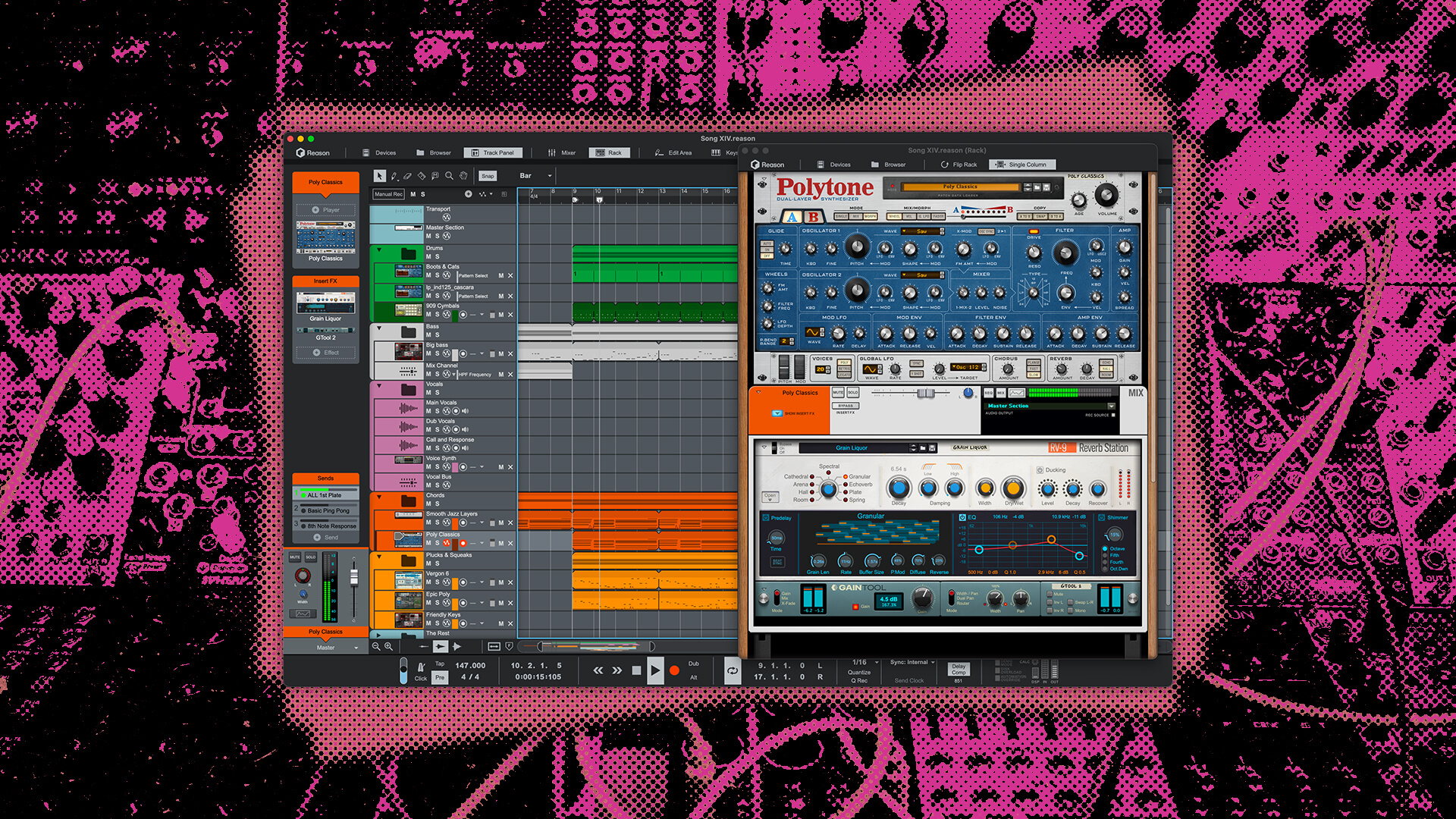
Reason: Our very own DAW offers a strong balance between sound quality, immediacy, and flexibility. Major highlights are creative sequencing, powerful groove shaping, experimentation with hardware-style instruments and effects, and creative routing.
FL Studio: Best known for its fast, pattern-based beatmaking workflow, powerful piano roll, and intuitive step sequencing. Particularly popular among hip-hop producers.
Bitwig Studio: Especially strong for sound design, deep modulation, and on-the-fly device customization, with flexible tools for both composition and live performance.
All four can produce professional-quality electronic music. The best choice depends on the kind of workflow that inspires you and helps you turn your ideas into finished tracks.
What makes a DAW good for electronic music?
Here are some of the most useful features to look for in an electronic music DAW:
- – Virtual instruments: Synthesizers, drum machines, and samplers for creating and manipulating sounds.
- – MIDI sequencing: Tools for programming, recording, and editing notes, rhythms, and automation.
- – Audio manipulation: Sampling, slicing, time stretching, and other ways to transform recorded sounds.
- – Creative effects: Filters, distortion, delays, reverbs, and modulation effects for shaping sounds.
- – Flexible routing: Options for connecting instruments, effects, and modulation sources in creative ways.
- – Arrangement and mixing: Tools for developing musical ideas into complete, polished tracks.
Most major DAWs offer these capabilities to some extent, so the real difference often comes down to how you use them.
For example, one DAW might make it especially easy to build complex rhythms with a step sequencer, while another might encourage you to experiment with different combinations of instruments and effects.
Neither approach is inherently better. What matters is how well it suits the way you like to make music.
Think about how you like to make electronic music
Choosing the right DAW for electronic music means having a good understanding of how you work and what inspires you. Are you happiest when programming drum patterns? Do you love tweaking synths and discovering new sounds? Or do you prefer recording performances and building arrangements around them? Maybe some combination of the above?
Understanding what keeps you engaged can help you narrow down your options.
If you love exploring and designing sounds…
Look for a DAW with flexible signal routing, accessible modulation tools, and plenty of ways to combine instruments and effects. Reason and Bitwig Studio are both worth exploring if you enjoy creating sounds as much as writing melodies or beats, although their approaches are quite different.
Bitwig offers extensive modulation and customization capabilities, including The Grid, a modular environment for building instruments and effects. You can also use its modulation system to create evolving sounds by connecting LFOs, envelopes, and other modulators to device parameters.
Reason uses a virtual hardware-style Rack that lets you connect and interact with instruments, effects, and modulation sources. You can flip the Rack around to patch audio and CV cables between devices, building signal chains and modulation setups much like you would with physical hardware.
For example, you could use Pulsar Dual LFO to create modulation sources and behaviors for your instruments and effects that go beyond what’s available within the devices themselves. You could meanwhile route individual instrument channels through different effects, or split an instrument’s audio signal into parallel processing chains. And, of course, it’s especially useful to use Combinator to build instruments and effects chains with their own customized controls.
Both DAWs can be very rewarding if you enjoy discovering musical ideas through sound design. Still, we think Reason has the edge when it comes to drawing inspiration from decades of classic electronic music production gear, giving you a more inspiring studio feel.
If you like building beats and patterns…
Prioritize a DAW with intuitive step sequencing, piano roll editing, tools for generating rhythmic variations, and good control over swing and groove. Reason and FL Studio are particularly worth considering if beatmaking is central to your creative process.
Reason has dedicated drum machines, pattern sequencers, and MIDI Players that can help you create rhythms and develop them into more complex musical ideas. Many are inspired by the kinds of classic hardware drum samplers and drum synthesizers that define electronic music.
Redrum offers classic drum machine-style step sequencing, while Kong Drum Designer combines sampling and drum synthesis across 16 pads. For sequencing duties, Drum Sequencer offers probability, repeats, and independent pattern lengths, while Beat Map generates and continuously transforms patterns to spark new ideas.
Plus, the ReGroove Mixer gives you a unique degree of control over groove, shuffle, and swing. You can apply different groove settings to individual parts of your track, giving your drums, basslines, and percussion their own rhythmic feel. This is especially useful for dance music and hip-hop, where subtle differences in timing and dynamics can make a big difference.
FL Studio is also a popular choice for rhythm-focused production, thanks to its pattern-based workflow and powerful piano roll. The fact that producers regularly share speedruns of beatmaking and track recreations gives you a sense of how well-loved its workflow is, particularly in hip-hop.
Try building a few drum patterns in a demo or free version of each DAW you’re considering. Pay attention to how quickly you can get ideas down and how easy it is to experiment with variations.
If you prefer playing instruments…
Choose a DAW with intuitive MIDI recording, quantization, note editing, and automation if you’d rather play a keyboard or other controller than program notes with a mouse. Most major DAWs, including Ableton Live, FL Studio, Bitwig Studio, and Reason, support this approach.
Ideally, you should be able to capture an idea while it’s fresh and refine it afterward without interrupting your creative flow.
It’s also worth exploring tools that help you perform musical ideas without needing advanced keyboard skills. Reason’s Scales & Chords Player can help you play within a chosen scale or generate chords from single notes, while Dual Arpeggio can turn held notes into more elaborate melodic patterns.
You can combine these tools with instruments like Europa, Polytone, or Thor, or use them to experiment with melodies and harmonies before recording the results into your arrangement.
If you enjoy sampling and manipulating audio…
Prioritize a DAW with flexible sampling, slicing, time stretching, and audio editing tools. These are especially useful if you enjoy chopping drum breaks, rearranging vocal samples, or turning everyday recordings into unusual textures.
Ableton Live offers flexible audio manipulation tools, including its Warp system for changing the timing of recorded audio and Simpler for chopping samples into playable slices. You can quickly turn a drum break into a new rhythmic pattern or stretch an audio recording to match your project’s tempo.
Reason offers several approaches to sampling, each suited to different creative tasks. Mimic Creative Sampler lets you slice samples, manipulate playback, and build instruments from recorded sounds, while Dr. Octo Rex is useful for working with sliced audio loops in the REX2 format, which has become legendary among electronic producers. If you want to get more experimental, Grain Sample Manipulator can transform samples into evolving textures, atmospheres, and unusual synthesized sounds.
For example, you could record a short vocal phrase, load it into Grain, and experiment with granular playback to create an atmospheric pad. Or you could chop a drum break in Dr. Octo Rex and rearrange its individual hits into a completely new rhythm.
Try importing some audio into different DAWs and see which tools make you want to experiment.
If you like improvising and performing…
Look for a DAW with clip launching, controller integration, and a nonlinear composition workflow that lets you experiment with musical arrangements in real time. Ableton Live and Bitwig Studio are particularly strong options for this approach.
Ableton Live’s Session View lets you launch audio and MIDI clips independently, combine different patterns, and experiment with arrangements while the music keeps playing. Its integration with controllers like Push also makes it appealing for hands-on performance.
Bitwig Studio offers a similar approach through its Clip Launcher, which works alongside the traditional arrangement timeline. This lets you experiment with musical ideas, improvise with clips, and turn those improvisations into structured compositions.
Reason takes a different approach, emphasizing a traditional sequencer alongside instruments and devices that can generate and manipulate patterns in real time. You can experiment with MIDI Players, control Rack devices from external hardware, and use Combinator to create performance-oriented setups with multiple parameters mapped to a smaller set of controls.
If live clip launching is central to your workflow, Ableton or Bitwig may be a more natural fit. But if you prefer improvising with instruments, effects, and interconnected devices, Reason offers tons of possibilities.
What else should you consider when choosing a DAW?
Beyond creative workflow, your DAW should make it easy to finish tracks, feel comfortable to use, and fit your budget and production setup.
Can you turn your ideas into finished tracks?
A good electronic music DAW should make it easy to develop loops and musical ideas into complete arrangements, with accessible tools for editing, automation, and mixing.
For example, if you’re making techno or house, you might spend a lot of time developing variations of an eight-bar loop, automating filters, and building transitions between sections. You’ll want to be able to duplicate and rearrange clips, edit automation, and organize groups of tracks without too much effort.
In Reason, Track Folders let you organize tracks and rearrange groups of clips together, while looped clips make it easy to repeat and develop musical patterns. The Track Panel also gives you quick access to instruments, effects, and mixing controls without leaving the sequencer.
Whatever DAW you’re considering, try building a short arrangement and see how easily you can move between composing, editing, and mixing.
Does the interface feel natural to you?
A DAW’s interface should help you turn musical ideas into sounds without repeatedly interrupting your creative process.
Some producers prefer a streamlined environment that keeps technical details out of the way, while others like having lots of controls and creative possibilities within easy reach. Neither approach is inherently better.
If you constantly find yourself searching through menus or interrupting your workflow to perform basic tasks, the software might not be a good fit. On the other hand, a more hands-on interface might encourage you to try things you wouldn’t otherwise consider.
A good workflow isn’t necessarily the one with the fewest clicks. It’s the one that helps you stay focused, curious, and engaged in making music.
Why Reason is a great DAW for electronic music
Reason is particularly well suited to electronic music producers who enjoy hands-on sound design, creative sequencing, and experimenting with connections between instruments and effects.
We’ve been developing Reason with electronic music producers in mind for decades, and one thing has always been central to our approach: making music should be as much about exploring possibilities as it is about executing ideas.
That’s why we’ve built Reason around the Rack. Instead of treating instruments and effects as completely separate tools, the Rack encourages you to explore how they interact. You can experiment with different signal chains, connect devices using audio and CV cables, and build setups that work the way you want them to.
For producers who enjoy hands-on experimentation, this can make the process of creating electronic music way more inspiring and engaging.
Combine this with powerful groove shaping, an excellent sequencing and arrangement environment, and a studio console-style mixer, and you have a setup meant for electronic music.
You can use Reason with another DAW, too
The Reason Rack Plugin lets you use Reason’s instruments, effects, and other devices inside other compatible DAWs, including Ableton Live, FL Studio, and Bitwig Studio. That means you don’t necessarily have to give up your existing workflow to explore Reason.
For example, you could build a custom instrument in Combinator and use it inside Ableton Live, add Reason’s effects to a mix in FL Studio, or incorporate our synthesizers into a Bitwig project.
There’s also Reason Free, a permanently free version of Reason that includes 15 Rack devices, including Europa, Kong, Scream 4, The Echo, and Combinator.
You can use Reason Free as a standalone DAW with up to 16 audio or instrument tracks, or load its Rack as a VST3, AU, or AAX plugin inside another compatible DAW.
There are no time limits or expiration dates, so you can explore Reason’s instruments, creative sequencing, and flexible routing at your own pace. So, whether you’re looking for your first DAW or some new tools to inspire your existing workflow, Reason Free gives you a way to get started without spending anything.
How to choose a DAW before you commit
The best way to choose a DAW is to try making the same short piece of music in several options and compare how their workflows feel. Many DAWs offer trials or demo versions, so take advantage of the opportunity to explore a few different options. Rather than trying to learn every feature, we recommend completing the same simple project in each DAW you’re considering.
That way, you can get a feel for how different tools and workflows compare without getting too caught up in the details.
Try this 30-minute DAW test
Step 1: Create a drum beat
Use the DAW’s included instruments or samples to build a simple rhythm. Try using a step sequencer, adjusting velocities, and adding some swing or groove. Pay attention to how easy it is to get started and experiment with variations.
Step 2: Add a bassline or melody
Record or program another musical part using a synthesizer or sampled instrument. Try editing the notes, changing the sound, and experimenting with MIDI effects if they’re available. Consider whether the software encourages you to explore different musical ideas.
Step 3: Experiment with effects
Add a few effects and see where they take you. Try automating a filter, modulating a parameter, or building an unusual effects chain. Don’t worry too much about making something polished. See whether the tools encourage you to experiment.
Step 4: Build a short arrangement
Turn your initial loop into a simple track with a beginning, middle, and end. Try organizing the project, automating a few changes, and adjusting the mix. See how easy it is to move between your instruments, effects, and arrangement.
Step 5: Think about the experience
Once you’re done, ask yourself:
- Did I enjoy the process?
- Was it easy to turn ideas into sounds?
- Did the software encourage experimentation?
- Could I imagine spending hours working this way?
- Do I feel motivated to open the project again?
You don’t need to produce a finished masterpiece in 30 minutes. The point is to see how the software feels when you’re actually using it.
And if you find yourself losing track of time because you’re enjoying the experience, that’s usually a good sign!
Final thoughts
Reason Free already gives you plenty of room to build out your rack, and these free Extensions can take things to another level. Still, they only scratch the surface. Paid Rack Extensions work in the free Reason Rack too, so you can keep expanding your setup without upgrading if you prefer.
But if you end up falling in love with Reason and the Rack (like most people who try them out), a full Reason license is the best way to open up the much larger core collection of instruments, effects, and other creative devices not included with Reason Free. The choice is yours, but either way, have fun exploring and making great stuff!
Ready to make music with Reason?
Frequently asked questions
What DAW do electronic music producers use?
Ableton Live, Reason, FL Studio, and Bitwig Studio are all established options for electronic music production.
Ableton is particularly well suited to loop-based composition and live performance, Reason emphasizes hardware-style instruments and creative routing, FL Studio is popular for pattern-based beatmaking, and Bitwig offers extensive modulation and device customization.
Each offers different strengths, so the best choice depends on your preferred workflow and production needs.
Is Reason good for electronic music production?
Yes. Reason is particularly well suited to electronic music producers who enjoy synthesizers, sampling, beatmaking, and hands-on sound design.
Its virtual Rack includes a wide range of instruments, drum machines, effects, and creative sequencing tools, along with flexible audio and CV routing. Reason also provides the recording, arranging, editing, and mixing capabilities needed to produce complete tracks.
What is the best DAW for beginners making electronic music?
The best beginner DAW is one that’s approachable, includes useful instruments and sounds, and makes you excited to keep learning.
Ableton Live, Reason, FL Studio, and Bitwig Studio are all worth considering. If you enjoy programming beats, FL Studio’s step sequencer and piano roll might appeal to you. If you’re interested in hands-on instruments and sound design, Reason’s Rack is worth exploring.
Trying different workflows is often more useful than choosing based on popularity alone.
Do you need a specific DAW to make techno, house, or EDM?
No. Most modern DAWs are capable of producing virtually any electronic music genre, including techno, house, trance, drum and bass, and ambient.
While some DAWs are particularly popular within certain production communities, your preferred workflow is usually more important than the genre you’re making.
For example, a techno producer who enjoys hardware-style sequencing and sound design might prefer Reason, while someone who likes building arrangements by launching clips could gravitate toward Ableton Live.
Can you use Reason with another DAW?
Yes. The Reason Rack Plugin lets you use Reason’s instruments, effects, and creative devices inside any DAW that supports VST3, AU, and AAX plugins.
You can use Reason’s synthesizers, samplers, and effects within your existing production environment, and Reason Free provides a selection of 15 devices at no cost.


